
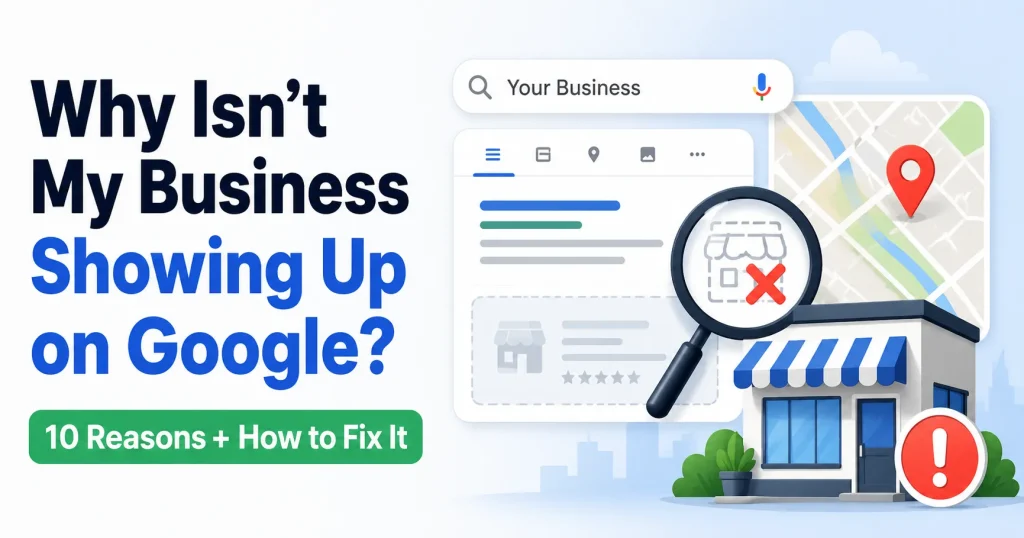

If you are asking, “Why isn’t my business showing up on Google?” you are not alone. Many business owners create a Google Business Profile, add their information, and still cannot find their business in Google Search or Google Maps.
This can happen for several reasons. Your profile may not be verified yet. It may still be processing. Your website may not be indexed. Your business information may be inconsistent online. Or you may be trying to rank in an area where Google is prioritizing businesses that are physically closer to the searcher.
The good news is that most visibility issues can be diagnosed step by step.
Quick answer: If your business is not showing up on Google, check whether your Google Business Profile is verified, complete, accurate, and free from suspension issues. Then review your website indexing, reviews, duplicate listings, service area settings, and local SEO signals.
There are two common types of “not showing up” problems:
- Your business is not appearing in Google Search, including organic results or the local map pack.
- Your business is not appearing in Google Maps, especially for service or location-based searches.
Below are the most common reasons this happens and what you can do to fix each one.
1. Your Google Business Profile Isn’t Verified
One of the first things to check is whether your Google Business Profile is verified. Verification tells Google that you are the real owner or authorized representative of the business.
If your profile is not verified, your business may not appear properly in Google Search or Maps. You may also have limited control over important details such as your address, phone number, hours, photos, services, and website link.
How to check
Sign in to the Google account connected to your Business Profile. If you still see a “Get verified” option or a verification notice, your profile is not fully verified.
Google may offer different verification methods depending on your business type and location. These may include:
- Video verification
- Phone or text verification
- Email verification
- Live video call
- Postcard verification
What to do next
Complete the verification steps Google gives you. Before submitting anything, make sure your business name, address, phone number, category, and website are accurate.
If a postcard never arrived, your code expired, or your video was rejected, do not keep changing your business information repeatedly. Review the issue carefully, correct the profile if needed, and try the available verification method again.
Helpful tip: For video verification, be ready to show real proof of your business. This may include signage, tools, branded vehicles, equipment, products, office space, or other proof that your business is legitimate.
2. Your Profile Was Recently Verified and Is Still Processing
If your profile was verified recently, it may not appear right away. Verification gives you access to manage your profile, but Google may still need time to review and display your information across Search and Maps.
For many new or recently updated profiles, this can take several days. In some cases, it may take one to two weeks or longer.
Common reasons processing takes longer
- Your profile is new
- You recently changed your address, phone number, website, or category
- Your profile is missing important information
- Your business has no photos or reviews yet
- Google needs to review recent edits
What to do while waiting
Do not create another listing. A duplicate profile can create more problems.
Instead, use the waiting period to strengthen your existing profile. Add your services, upload photos, complete your business hours, choose accurate categories, write a clear description, and make sure your contact information is correct.
If your profile still does not appear after a couple of weeks, check your dashboard for alerts, suspension notices, pending edits, or additional verification requests.
3. Your Listing Has Been Suspended
A suspended Google Business Profile can disappear from public view or stop appearing properly in Search and Maps.
Suspensions usually happen when Google believes a profile may not follow its guidelines. Sometimes the issue is easy to spot. Other times, Google may not give a detailed explanation.
Common suspension triggers
- Your business name includes extra keywords or city names
- Your address does not qualify
- You are using a virtual office, mailbox, or unstaffed location
- Your service-area business is showing a residential address
- You created duplicate listings
- Your website redirects somewhere unrelated
- There is suspicious review or profile activity
For example, a business should not list itself as “Smith Plumbing Best Emergency Plumber in Dallas” unless that is the actual legal or real-world business name. Adding keywords may seem helpful, but it can put the listing at risk.
How to fix it
Before submitting an appeal, review your profile carefully. Make sure your business name, address, category, website, and phone number are accurate and follow Google’s guidelines.
Prepare documents or proof that show your business is real. This may include a business license, tax document, utility bill, storefront photo, permanent signage, branded vehicle photo, or equipment used for your work.
Do not create a new profile to replace the suspended one. This can create duplicate listing issues and may make reinstatement harder.
4. Your Business Information Isn’t Consistent Across the Web
Google looks for signs that your business information is accurate and trustworthy. One important signal is NAP consistency.
NAP stands for:
- Name
- Address
- Phone number
Your NAP should match across your Google Business Profile, website, social media pages, local directories, map apps, and industry listings.
If Google finds different versions of your business information online, it may become less confident about which details are correct.
Example
Your Google Business Profile may list your business as “Smith Family Dental,” but your website says “Smith Dental Clinic,” Yelp has an old address, and Facebook shows a different phone number.
That kind of inconsistency can confuse both Google and potential customers.
Where to check
- Your website
- Google Business Profile
- Apple Maps
- Bing Places
- Yelp
- Better Business Bureau
- Local chamber of commerce pages
- Industry directories
You can check these manually or use citation tools such as Moz Local, BrightLocal, Whitespark, or Semrush Listing Management.
Important: The goal is not to be listed everywhere. The goal is to make sure your most important listings are accurate, complete, and consistent.
5. You’re Not Ranking in Google Maps for Service Keywords
Sometimes your business is visible on Google, but only when someone searches your exact business name. That means your profile exists, but it may not rank for service keywords such as “plumber near me,” “dentist in Austin,” or “HVAC company San Francisco.”
This is different from not appearing at all. Google may know your business exists, but it may not see your profile as relevant, close enough, or prominent enough for those searches.
Google Maps rankings depend on three main factors
- Relevance: How closely your business matches the search.
- Distance: How close your business is to the searcher or searched location.
- Prominence: How trusted and well-known your business appears online.
Why proximity matters
Distance is a major part of local search. A business located in one city may have a hard time ranking in Google Maps for another city, especially if many competitors are physically closer.
For example, an HVAC company located in a smaller city outside San Francisco may want to rank for “HVAC company San Francisco.” That can be difficult because Google often prioritizes businesses that are closer to the searcher or closer to the city being searched.
This does not mean the outside-city business can never appear. It usually means the business needs stronger local signals, such as a well-optimized profile, strong reviews, accurate citations, helpful service pages, and a clear reason for Google to trust it as relevant for that city.
What to review
- Your primary business category
- Your secondary categories
- Your services section
- Your business description
- Your reviews
- Your website content
- Your local citations
Your primary category is especially important. Choose the category that best describes what your business is, not just the keyword you want to rank for.
Your website should also support your Google Business Profile. If your profile says you offer HVAC repair in Phoenix, but your website barely mentions HVAC repair or Phoenix, Google may not have enough supporting information.
6. Your Profile Is Incomplete
An incomplete Google Business Profile gives Google less information to work with. It also gives customers fewer reasons to choose your business.
If your listing is missing hours, photos, services, a website, or a clear description, people may skip over it even if they find it.
Google Business Profile checklist
- Real business name, without extra keywords
- Correct primary category
- Relevant secondary categories
- Accurate address or service area
- Working phone number
- Business hours
- Special or holiday hours
- Website URL
- Clear business description
- Services or products with descriptions
- High-quality photos
- Relevant attributes
- Appointment, booking, menu, or quote links if applicable
What to focus on first
Start with your business name, category, phone number, website, hours, and services. These are basic trust and relevance signals.
Then add photos. Use real images of your storefront, office, team, vehicles, products, completed work, equipment, or service process when appropriate.
Your business description should explain what you do, who you help, and where you serve customers. Keep it natural. Do not stuff keywords or repeat the same city and service phrases over and over.
7. You Have No Reviews, or Negative Reviews Are Hurting You
Reviews help customers decide whether to trust your business. They can also support your local visibility because they show that your business is active and serving real customers.
Reviews are not the only ranking factor, but they matter. A business with many recent, detailed, positive reviews often has stronger trust signals than a similar business with only a few old reviews.
How to build reviews the right way
- Ask customers for honest feedback after a completed service or purchase
- Send a simple review link by email or SMS
- Add a QR code at your front desk, on receipts, or printed materials
- Respond to positive and negative reviews professionally
- Make review requests part of your regular follow-up process
What not to do
- Do not offer discounts, gifts, or cash for reviews
- Do not ask only happy customers to leave reviews
- Do not pressure customers to use specific keywords
- Do not argue with negative reviewers
- Do not share private customer information in review responses
If your Google reviews are not showing up, they may be delayed, filtered, or removed by Google’s moderation systems. This can happen if a review looks suspicious, includes inappropriate content, appears to be spam, or comes from unusual review activity.
The best long-term approach is to earn reviews gradually and naturally. A steady pattern of real reviews can improve trust with both Google and customers.
8. You Have a Duplicate Listing
A duplicate Google Business Profile can make it harder for your business to show up correctly. This happens when more than one listing exists for the same business, location, or service area.
Duplicate listings can split your visibility signals. One profile may have reviews, another may have the right phone number, and another may show an old address. This can confuse Google and customers.
Common causes of duplicate listings
- Your business moved
- Your business changed ownership
- Your business rebranded
- A former employee or agency created a listing
- A new profile was created instead of updating the old one
- Old business data was pulled from directories or aggregators
How to find duplicates
Search Google and Google Maps for:
- Your current business name
- Old business names
- Previous addresses
- Old phone numbers
- Slight spelling variations
If you find a duplicate, first confirm which profile is the correct one. The correct profile should match your current business name, address or service area, phone number, website, and category.
If the duplicate is unmanaged, you may be able to suggest an edit in Google Maps. If you manage both profiles, review Google’s options for removing or merging duplicates.
Be careful: If a duplicate listing has reviews, do not delete it too quickly. In some cases, reviews may be moved or merged, but this is not always guaranteed.
9. Your Website Has SEO Issues
If your business is not showing up in Google Search, the problem may be with your website, not just your Google Business Profile.
Your website supports your local SEO presence. It helps Google understand what your business does, where you are located, which areas you serve, and how customers can contact you.
Check if your website is indexed
Search Google for:
site:yourdomain.comReplace “yourdomain.com” with your actual website address.
If no pages appear, your site may not be indexed. This can happen with new websites, recently redesigned websites, or sites with technical issues.
Common website issues
- Your website is too new
- Your pages are blocked from indexing
- Your site has a noindex tag by mistake
- Your XML sitemap has not been submitted
- Your pages are slow or not mobile-friendly
- Your service and location information is unclear
- Your title tags and headings are too vague
A noindex tag is especially important to check. It tells Google not to show a page in search results. This is sometimes used during website development, but it can accidentally stay on the site after launch.
What your website should include
- A clear homepage title that describes your business and location
- Pages for your main services
- Accurate name, address, and phone number
- A contact page
- Location or service area information
- Internal links between related pages
- Fast-loading pages
- Mobile-friendly design
- An XML sitemap submitted in Google Search Console
For example, a roofing company should avoid a vague homepage title like “Home | Smith Company.” A clearer title would describe the service and location, such as “Roof Repair and Replacement in Tampa | Smith Roofing.”
Your website does not need to be huge. It needs to be clear, accurate, helpful, and easy for Google and customers to understand.
10. Your Service Area Settings May Be Restricting Visibility
Service area settings are important if your business travels to customers instead of serving them at a physical storefront.
Examples include plumbers, electricians, HVAC companies, cleaners, landscapers, locksmiths, roofers, and mobile service providers.
If customers do not visit your location during business hours, you should usually hide your address and set your service areas instead.
Common service area mistakes
- Your service area is missing
- Your service area is too narrow
- Your service area is too broad
- You listed cities you do not actually serve
- Your website does not support the areas listed in your profile
- Your address is shown even though customers do not visit you there
Your service area should reflect where you actually serve customers. Use realistic cities, towns, ZIP codes, or regions.
Adding a large service area does not guarantee that you will rank everywhere. Google still considers distance, relevance, and prominence. If your business is far from the searcher, Google may show closer competitors first.
How your website can support service areas
Mention your main service areas naturally on your homepage, service pages, or location pages. If you create location pages, make sure each one is useful and unique.
A strong location page may include local service details, common customer needs in that area, testimonials, project examples, local FAQs, or other useful information.
Avoid creating dozens of thin city pages that repeat the same content with only the city name changed.
Quick Diagnosis Checklist: Why Is My Business Not Showing Up?
If your business is not showing up on Google, use this checklist to narrow down the issue.
- Is your Google Business Profile verified? Check your dashboard for verification notices.
- Was your profile verified recently? If yes, it may still be processing.
- Is your listing suspended? Look for alerts in your Business Profile dashboard.
- Is your business information consistent online? Check your website, directories, social media profiles, and map listings.
- Is your profile complete? Add categories, services, photos, hours, website, attributes, and a clear description.
- Do you have enough reviews? Build a consistent, ethical review request process.
- Are there duplicate listings? Search your business name, old names, old addresses, and old phone numbers.
- Are your categories correct? Choose the most accurate primary category.
- Are your service area settings accurate? Make sure they match where you actually serve customers.
- Is your website indexed? Search Google for site:yourdomain.com.
- Does your website support local SEO? Include clear service, location, and contact information.
- Are you trying to rank in a city outside your actual location? Proximity may be limiting your visibility.
Frequently Asked Questions
Why is my business not showing up on Google Maps?
Your business may not show up on Google Maps if your profile is not verified, recently created, suspended, incomplete, duplicated, or not strong enough for the search location. Service area settings, categories, reviews, and proximity can also affect visibility.
Why does my business show for its name but not for services?
This usually means Google knows your business exists, but your profile is not ranking strongly for service keywords. Review your categories, services, website content, reviews, citations, and local relevance.
How long does it take for a Google Business Profile to show up?
A new or recently verified profile may take several days to appear consistently. In some cases, it can take one to two weeks or longer, especially if Google needs to review changes.
Can I rank in Google Maps for a nearby major city?
It is possible, but it can be difficult if your business is located outside that city. Google often prioritizes businesses closer to the searcher or searched location. To compete, you need strong relevance, reviews, citations, website content, and local authority.
Do reviews help my business show up on Google?
Reviews can support local visibility and customer trust. They are not the only factor, but a steady pattern of genuine, recent reviews can help Google and customers understand that your business is active and reliable.
Final Thoughts
If your business is not showing up on Google, start with the basics. Check whether your Google Business Profile is verified, complete, accurate, and free from suspension issues.
Then review your website, reviews, citations, duplicate listings, service area settings, and local SEO signals.
In many cases, the issue is fixable once you know where to look. Some problems are simple, such as missing profile information or outdated business details. Others may take more time, such as improving website content, earning reviews, building local authority, or competing in a nearby city where proximity is working against you.
If you have gone through this checklist and your business still is not showing up, a local SEO audit can help identify what is holding your profile back. A review of your Google Business Profile, website, citations, reviews, and competitor landscape can give you a clearer path forward and help you decide which improvements should come first.